Big goals, one small step at a time
Break a long-term goal into steps that each fit a time slot. In Long-term goal mode, TimeStash serves the next step that fits, and your goal progress grows with every one you finish.
TimeStash helps you pick the right task for the time you actually have. Choose 5, 10, 20, 30, 45 or 60 minutes and instantly start something that fits.
How much time have you got?
Pick a duration. TimeStash will open one task that fits.
10 routine or misc tasks available
Four taps from “I have a few minutes” to getting something done.
Pick Routine & misc or Long-term goal, then tap 5, 10, 20, 30, 45 or 60 minutes.
TimeStash opens the best fitting task for that slot, the longest one first, so no time goes to waste.
The task opens with a focus timer set to its own estimated duration.
Done? Keep going with the minutes left. Not feeling it? Skip to the next best match.
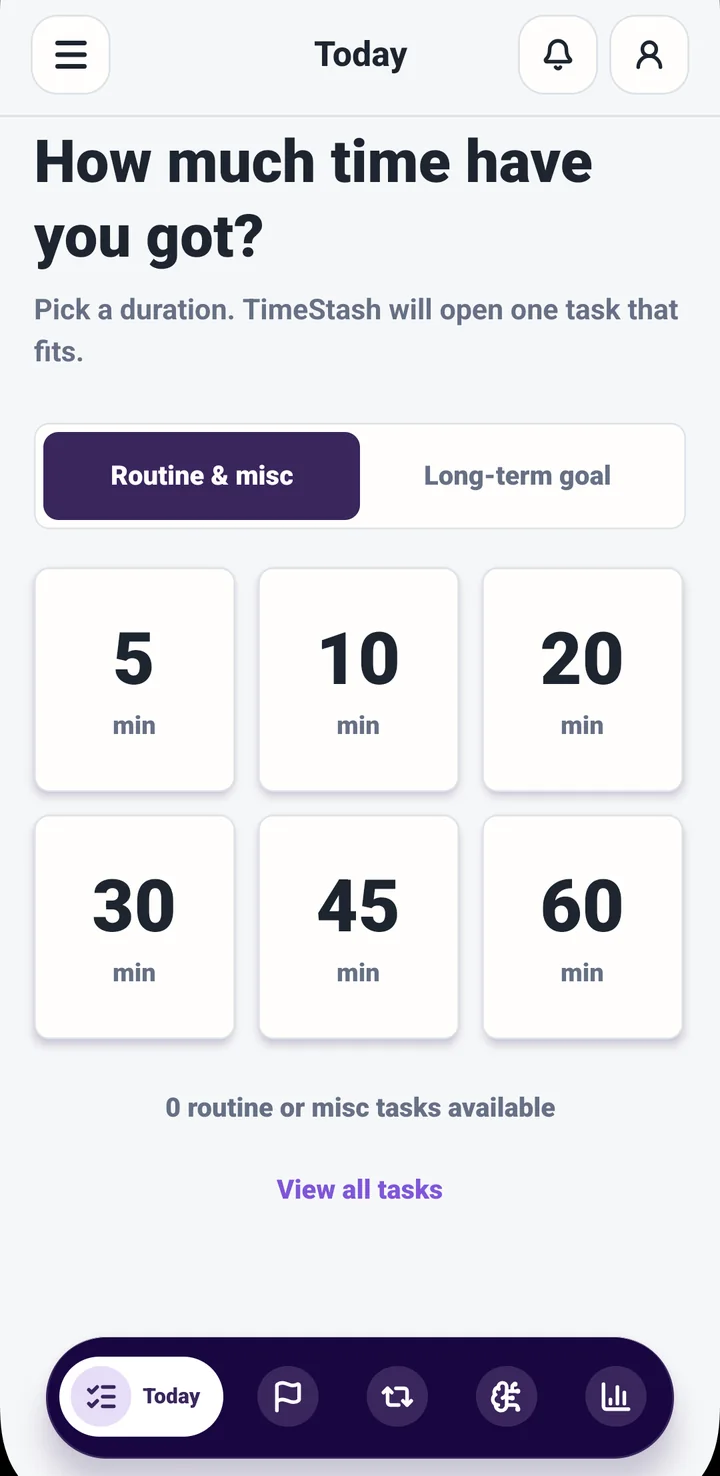
1Pick a mode and a duration
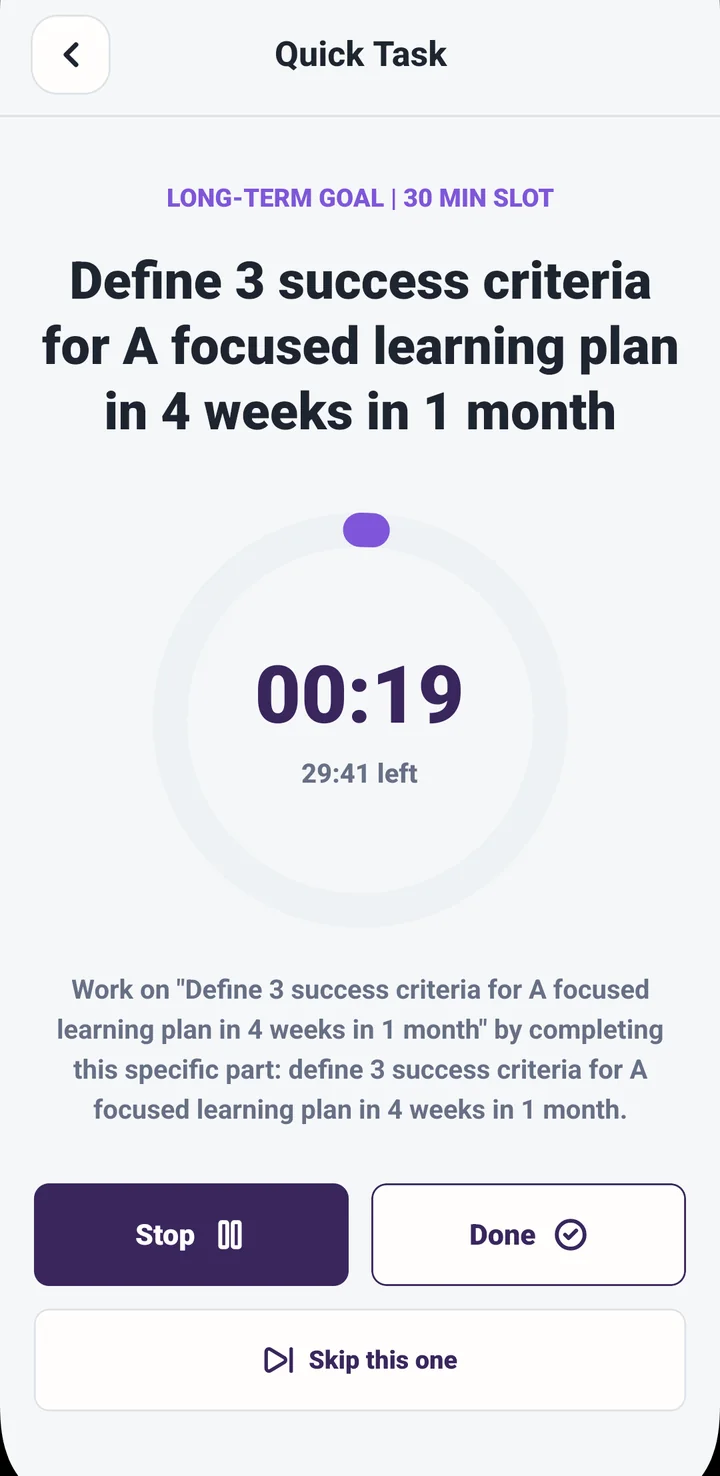
2One task opens with its timer
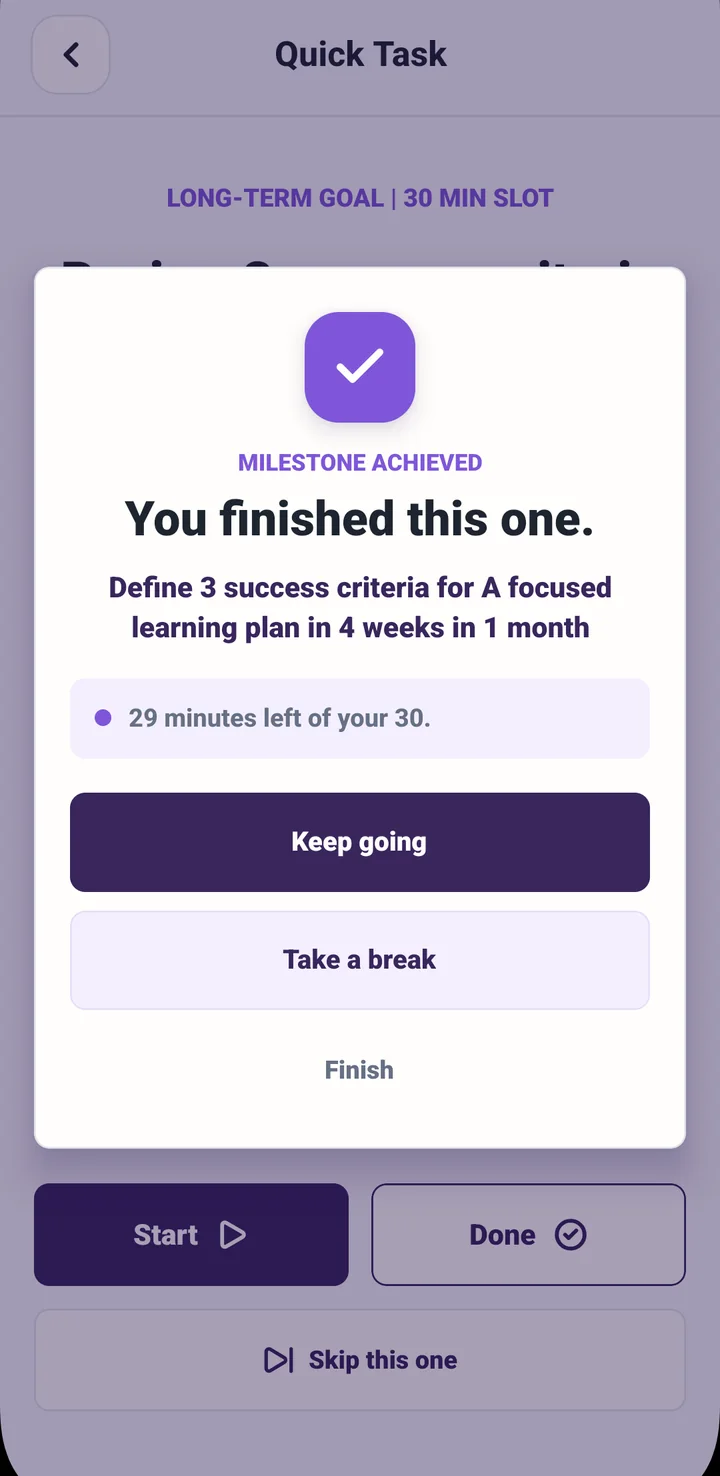
3Finish, then keep going
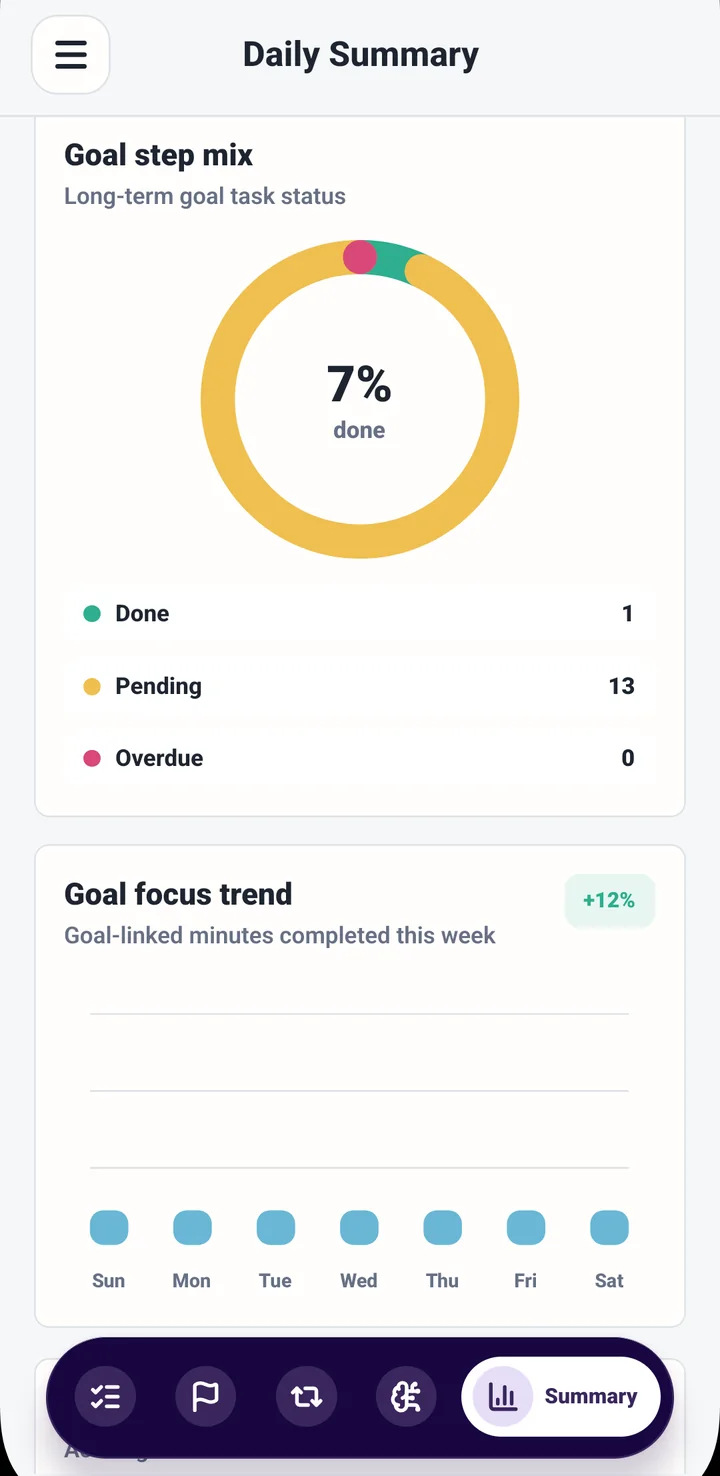
4See your progress
Pick how much time you have. TimeStash looks at the tasks that fit, longest first, and opens the best one for that slot.
Switch between Routine & misc and Long-term goal so you work on the right kind of thing.
Every task opens with its own timer based on its estimated duration, not just the slot you picked.
Not feeling it? Skip, and TimeStash moves straight to the next best matching task.
Finished early? TimeStash shows the minutes left and opens another task that fits them.
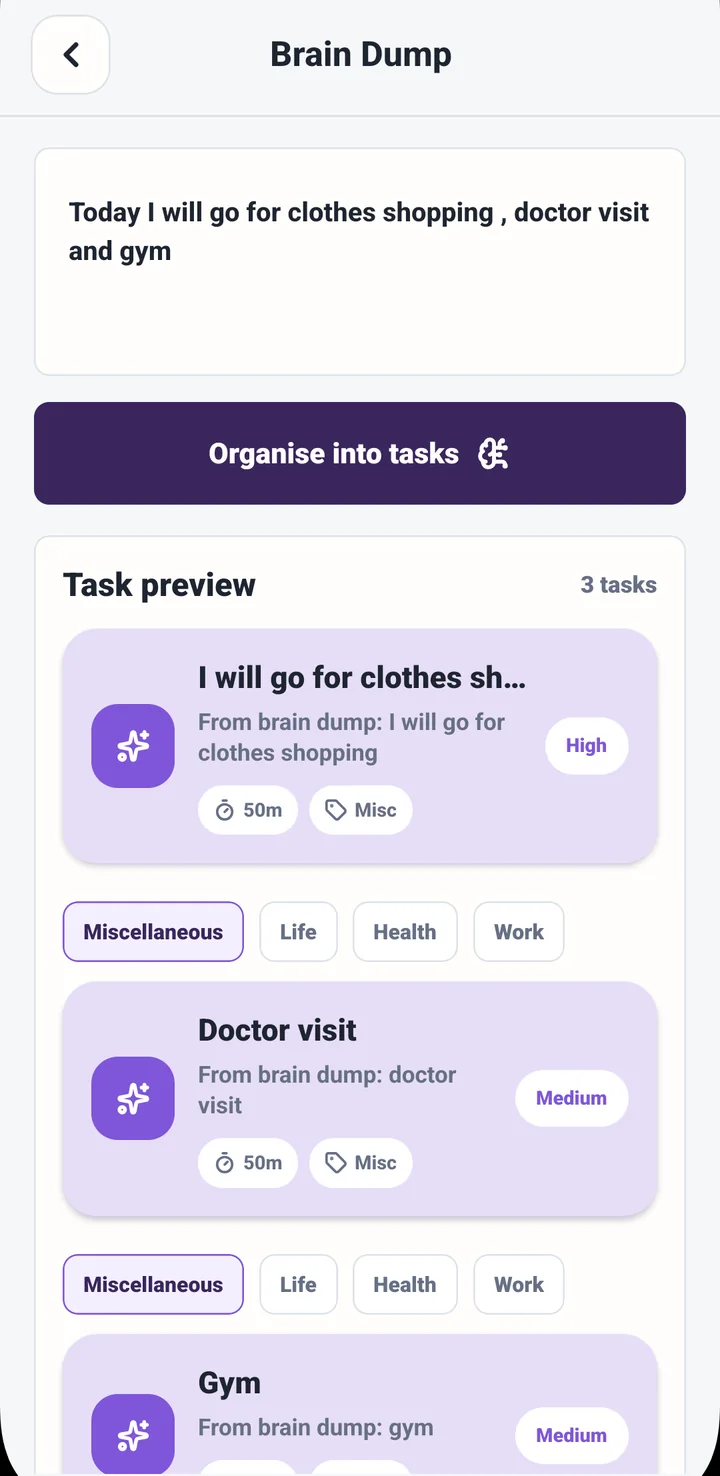
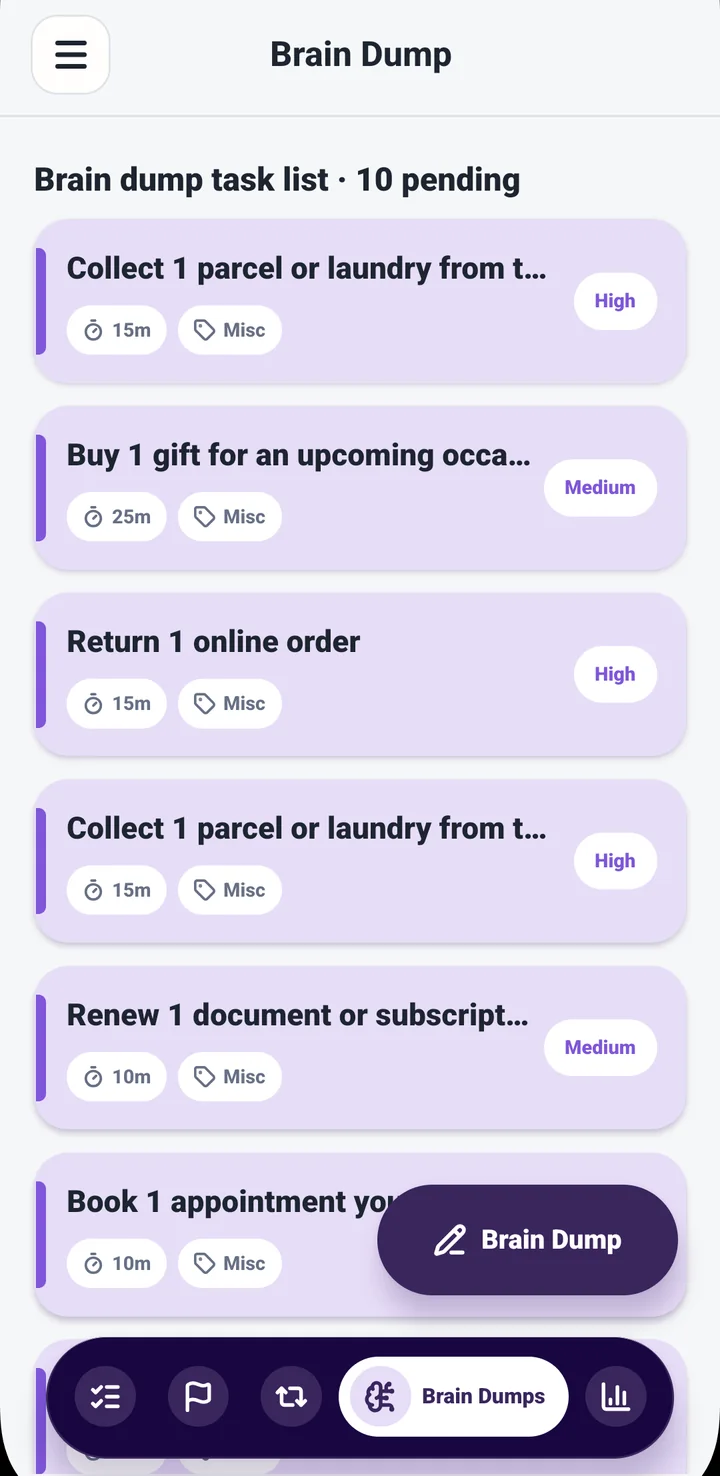
Write what’s on your mind and AI organises it into tasks, each with a duration, category and priority.
Turn big goals into small, doable steps and work through them one at a time.
Create recurring routines and keep them separate from one-off tasks.
Mark tasks High, Medium or Low so important work stands out.
Powered by AI
Type everything on your mind in one go, like “clothes shopping, doctor visit and gym”. Tap Organise into tasks and TimeStash’s AI splits it into separate tasks, estimates how long each one takes, and suggests a category and a priority.
Break a long-term goal into steps that each fit a time slot. In Long-term goal mode, TimeStash serves the next step that fits, and your goal progress grows with every one you finish.
Build recurring routines once and keep them separate from one-off tasks. In Routine & misc mode, your habits and quick odd jobs come up whenever they fit the time you have.
The daily summary shows completed tasks, how your long-term goal steps are split between done, pending and overdue, and how many goal-linked minutes you put in each day this week.
TimeStash reminds you about overdue tasks, and an unread count in the app shows at a glance when something needs your attention.
Secure sign-in and simple tools to manage everything about your account.
Accounts are protected by Firebase Authentication.
Change your password in the app, or reset it if you forget.
Update your profile details whenever you like.
Log out or delete your account straight from the app.
Download TimeStash, add a few tasks, and the next time you have 10 free minutes you’ll know exactly what to do.


